How can I rename tables/dimensions/metrics in Lightdash?
Last updated: July 23, 2025
Renaming tables in your dbt project will break existing charts, dashboards, and filters that reference that table. Here's how to fix those references automatically.
This script will:
Update these in your charts:
Dimensions, metrics, filters, sorts
Table config and chart config
Table calculations
Not update:
Conditional formatting
Reference lines
Dashboards and dashboard filters
Charts within dashboards
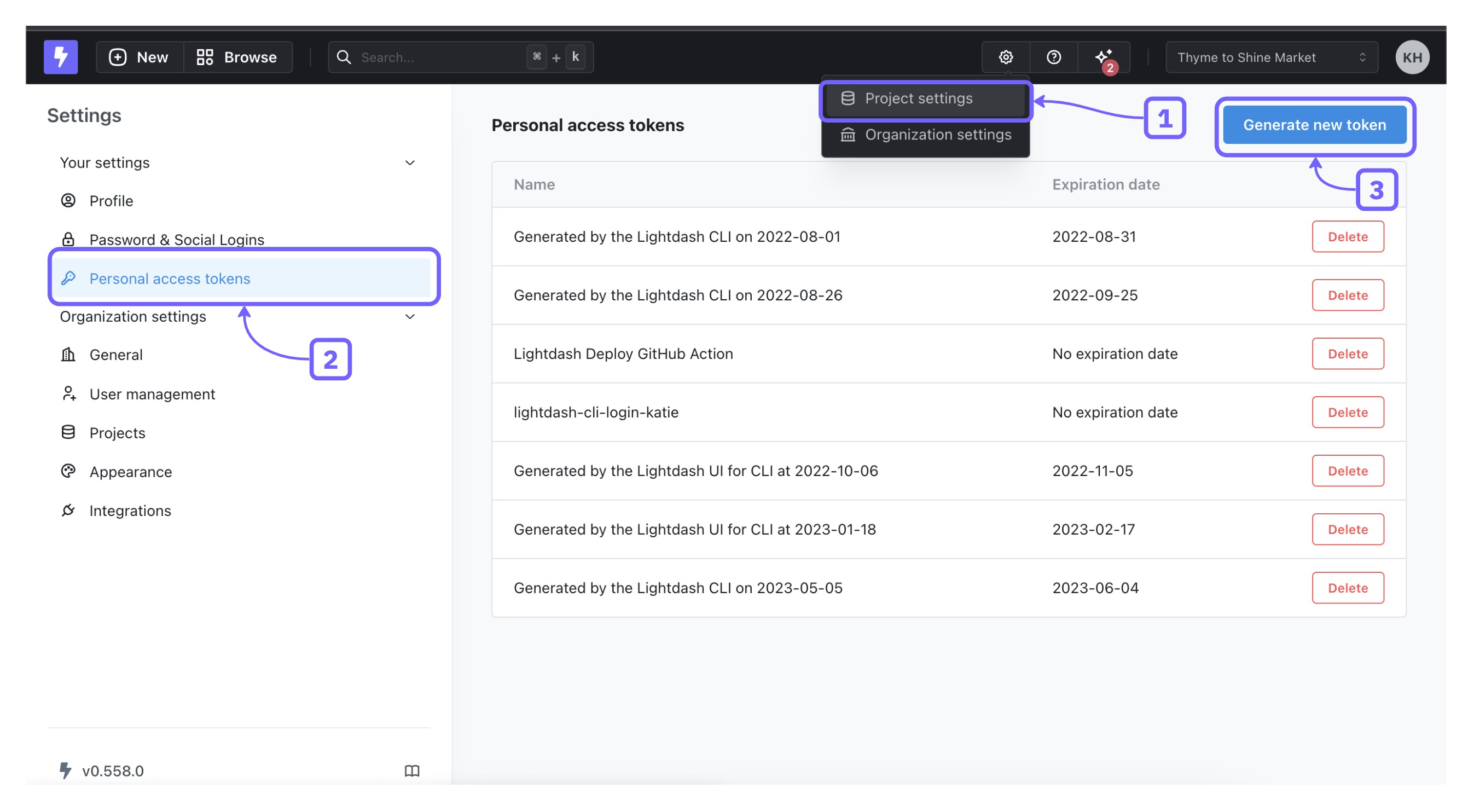
Step 1: Generate an API Token
You'll need a personal API token. Here's how to create one.
Step 2: Download the Script
Go to our Github API examples repo
Clone or download the repo as a ZIP
Navigate to the
javascriptfolder
Step 3: Modify Variables in the Script
Open the rename_models_in_charts.js file in your preferred code editor and replace these variables with your info:
const projectUuid = `<my-project-uuid>`
const apiKey = '<my-api-key>'
const oldModel = '<my-old-model>'
const newModel = '<my-new-model>'
Step 4: Run the Script
Install the dependencies:
Open a terminal or command prompt in the directory where the script is located.
Run
yarnornmp ito install the dependencies.
Test the Changes (Optional):
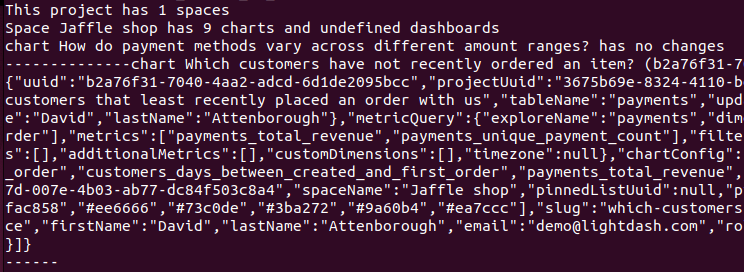
If you want to see what changes will be made without actually renaming anything, set the
testvariable totruein the script:const testing = trueThis will log the proposed changes without making them.
Run the Script:
Open a terminal or command prompt in the directory where the script is located.
Run the script using Node.js:
node rename_models_in_charts.jsIf you’re satisfied with the test results, set the
testvariable tofalseand run the script again to apply the changes:node rename_models_in_charts.js